
Guitar Harmony Finder for iPhone
Tap a melody.
Get the second guitar part.
Play a line on the fretboard and Guitar Harmony Finder writes a harmony above or below it — the twin-lead sound, in the right key and in the same hand position, so it is a part you can actually play.

One price · no in-app purchases
No ads · no data collected
- Melody — the notes you tap
- Harmony — the second voice

How it works
Two necks. One line, and the part that goes with it.
The top neck is yours. The bottom one answers.
-
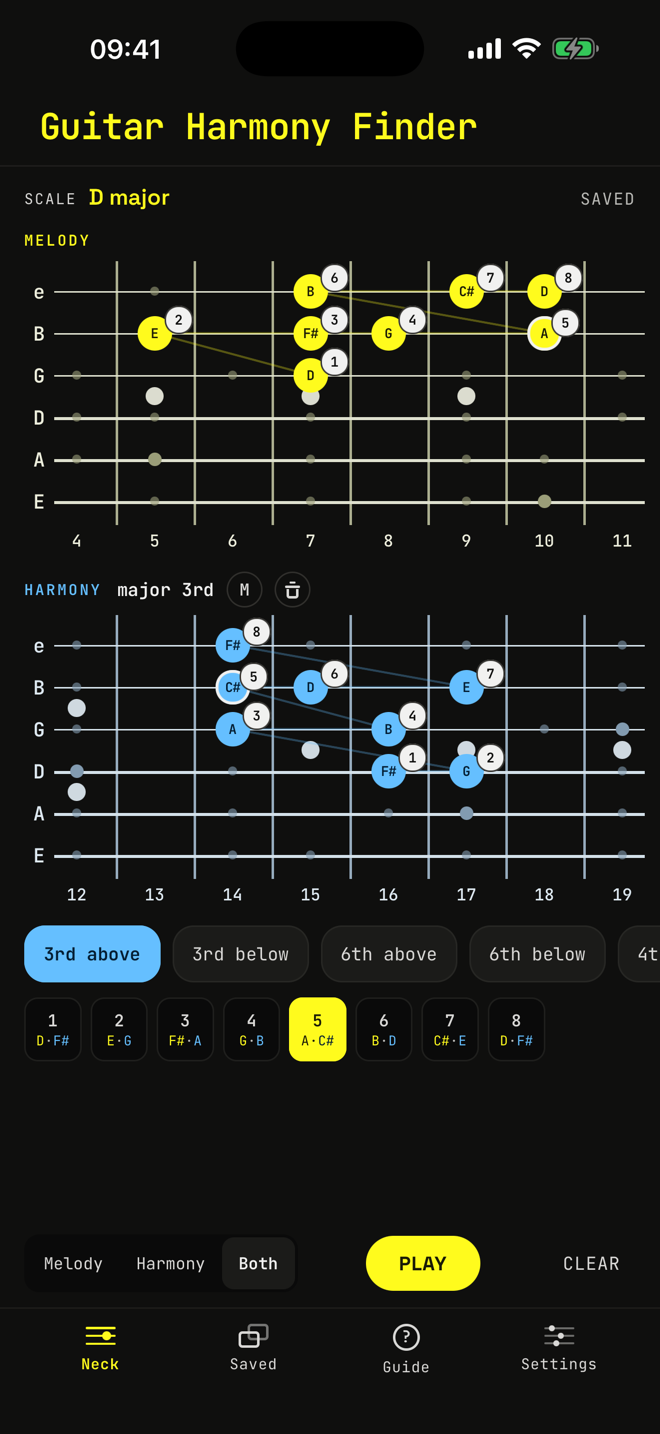
Tap the melody
Play your line on the yellow neck. The app reads the key from your notes as you go, and the blue neck fills in with a second voice straight away.
The numbers pair them up: note 5 of the melody is played together with note 5 of the harmony.
-
Pick the interval
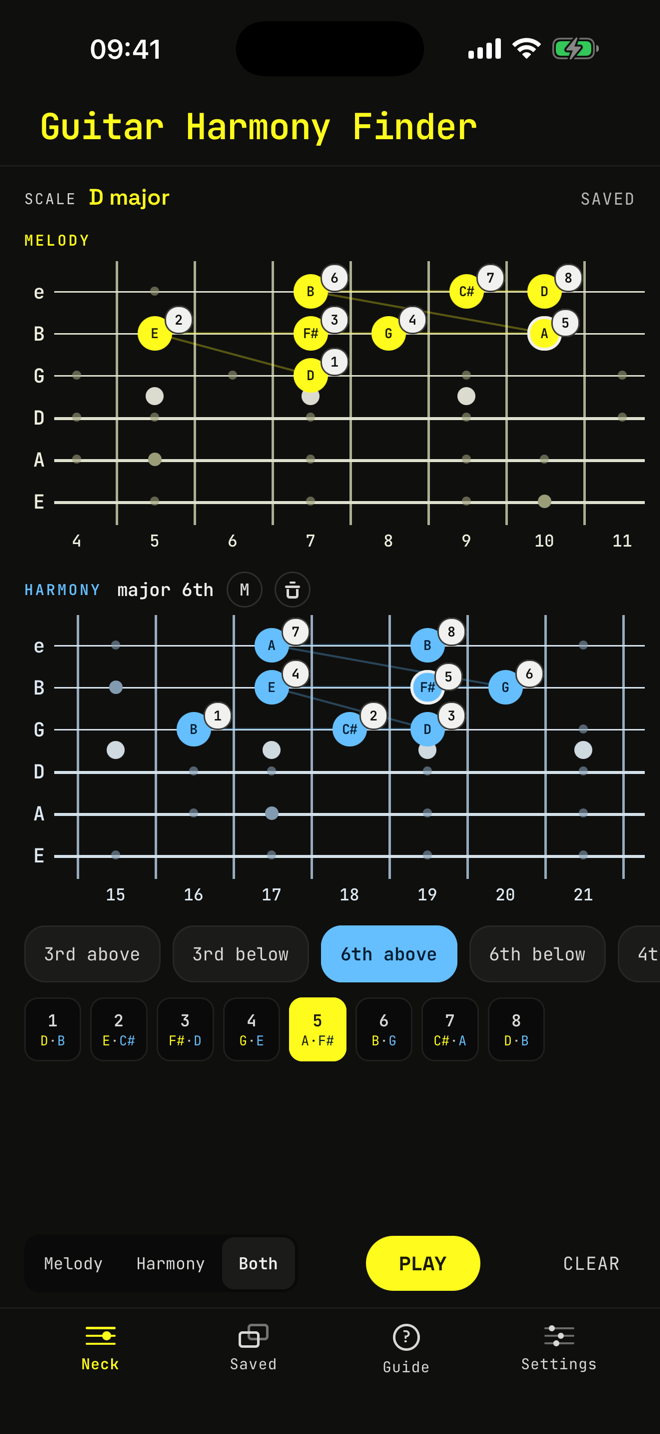
Change the interval and the whole second part is voiced again, following the scale, so a third is major or minor where the key says it should be.
It stays inside one position on the neck rather than jumping around, so the part sits under your hand.
- 3rd above
- 3rd below
- 6th above
- 6th below
- 4th above
-
Hear it
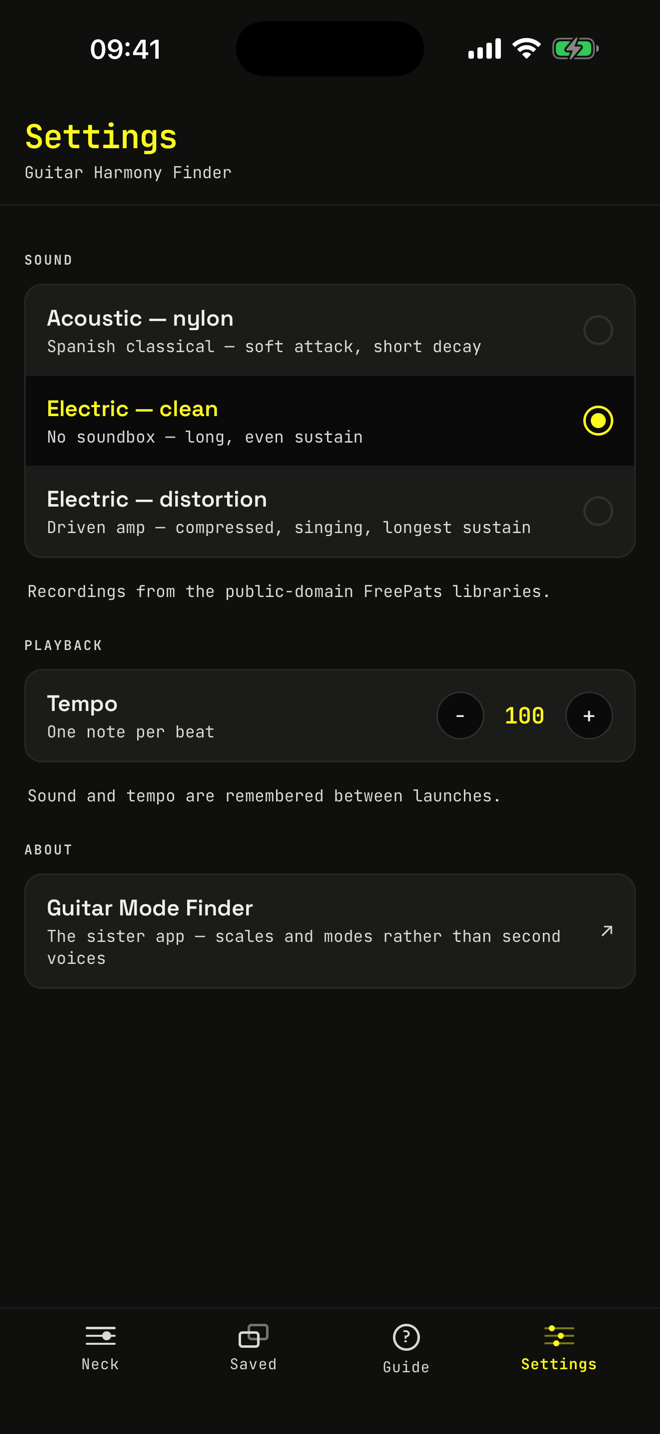
Press PLAY for the melody, the harmony, or both together. Choose a nylon-string acoustic, a clean electric or a distorted one, and set a tempo you can play along with.
The guitar sounds come from the public-domain FreePats libraries.
-
Keep your lines
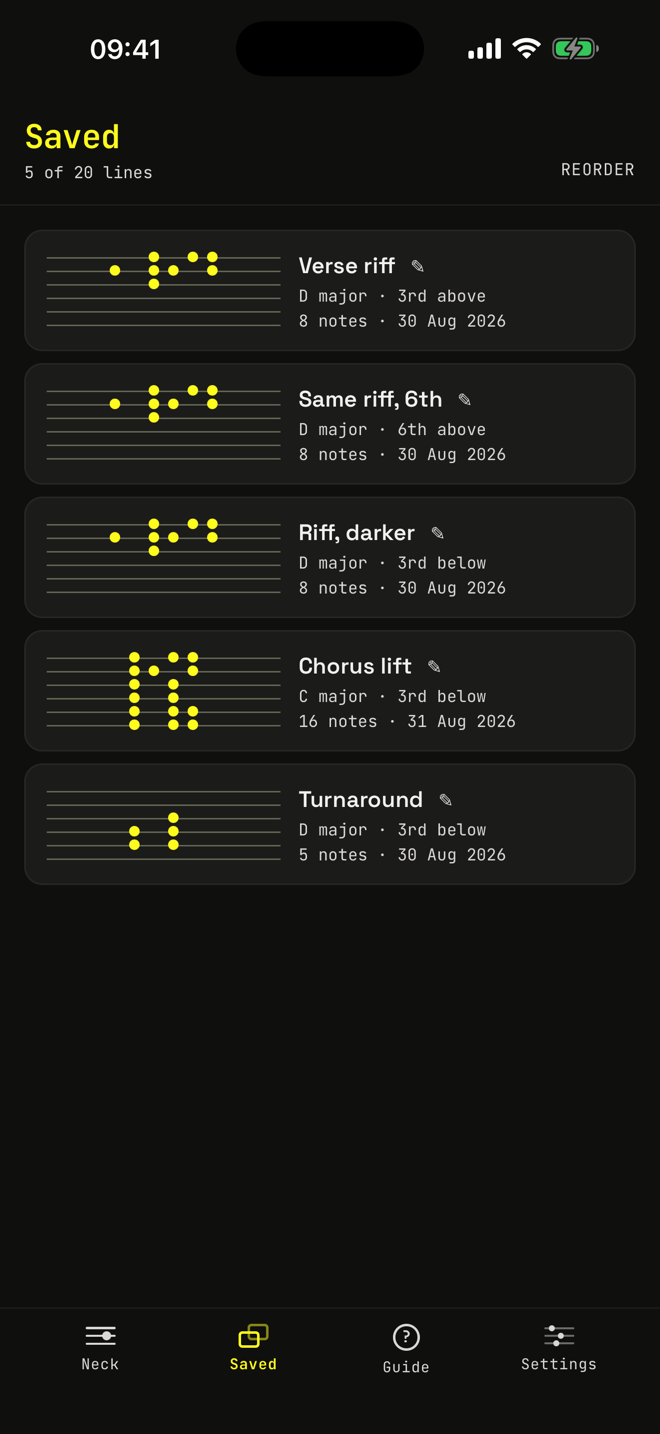
The line you are working on is still there when you come back. SAVE keeps up to twenty more. Give them names, drag them into the order you want, and tap one to pick up where you left off.
-
It explains itself
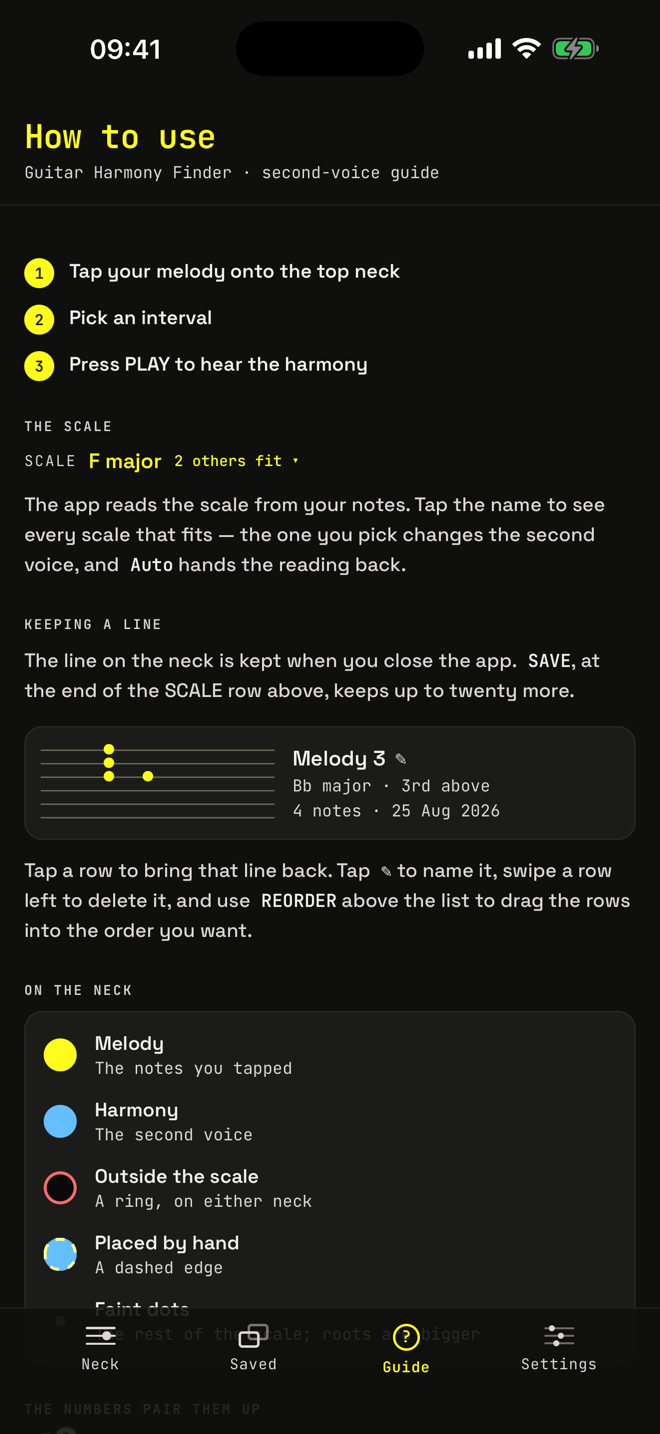
A built-in guide walks through reading the two necks and what every colour, ring and dashed edge means. No manual needed.


What you get
Built for guitarists who play with other guitarists.
-
In key, every time
Thirds and sixths above or below, and fourths, fifths and tenths above, all following the scale.
-
Under your hand
The second voice is placed inside one CAGED position instead of scattered up the neck.
-
Yours to edit
Drag notes, place a harmony note by hand where you want it, and mute the ones you don’t.
-
Three guitar sounds
Nylon acoustic, clean electric and distorted electric, at your own tempo.
-
Works offline
No account, no sign-in, no network. Open it on a train or in a rehearsal room.
-
Private by design
Everything is worked out on your phone. Nothing is collected and nothing leaves it.

Get Guitar Harmony Finder
One price on the App Store. No in-app purchases, no subscription, no ads.
Questions
Harmonizing a guitar line, answered.
Which harmonies can it write?
Thirds and sixths above or below the melody, and fourths, fifths and tenths above it. Each one follows the scale, so a third comes out major or minor where the key says it should — the way twin guitar leads are played.
Which keys and scales does it know?
The seven modes of the major scale: major, natural minor and the five between them. It works out the key from the notes you tap, or you can set it by hand. A note outside the scale keeps its interval and is ringed on the neck.
Will the harmony be playable?
That is the point of it. The second voice stays inside one CAGED position, close to where your hand already is, instead of being scattered up the neck. You can still drag any harmony note to a fret you prefer.
Does it listen to me play?
No. You tap the notes on the fretboard on screen. The app never uses the microphone and never asks for it.
What do I need?
An iPhone with iOS 16.4 or later. There is no account to make, and it works fully offline once it is installed.
What does it cost?
One price on the App Store, shown in your own currency there. No subscription, no in-app purchases and no ads — everything is in the app from the start.
Support
Questions, bugs, ideas.
Write to support@guitarmodefinder.com and it reaches the developer directly. A screenshot helps.
Privacy
The app collects no data at all. The privacy policy says exactly what is kept on your phone, and what this website counts.
The sister app
Guitar Mode Finder works the other way round: type a chord progression and it tells you which scale to play over it.